I’ll introduce sample code for executing JavaScript only in Internet Explorer 11 (IE11).

Background: Want to display an alert dialog in Internet Explorer 11
When IE11 support isn’t possible, I wanted to display an alert() message and guide users to use other browsers - that’s the implementation background.
JavaScript Sample Code to Execute Only in Internet Explorer 11
The sample code is available in the following GitHub Pull Request, so please check it out:
- Sample code: Display alert() only in Internet Explorer 11 (IE11) · Pull Request #9 · codenote-net/sandbox
- Demo site: https://codenote-net.github.io/sandbox/ie11/alert.html
Here’s an excerpt of the sample code to execute JavaScript only in IE11:
window.onload = function () {
  var ua = navigator.userAgent;
  if (ua.indexOf("Trident") !== -1) {
    alert(
      "Internet Explorer 11のサポート終了日は2029年1月9日です。"
    );
  }
};
Here’s a screenshot of the actual test on Windows10 + IE11:
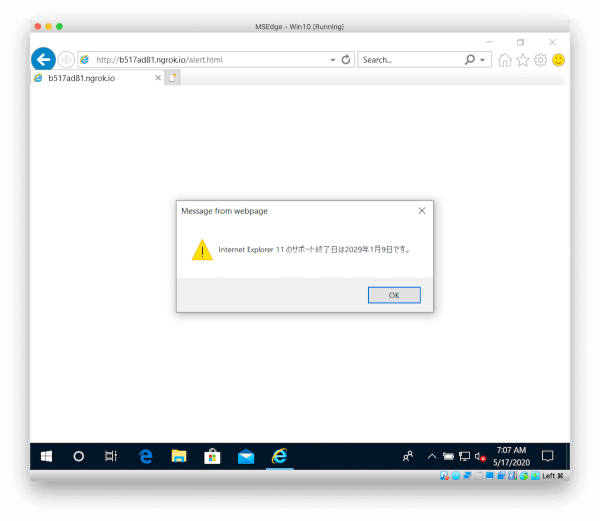
That’s all from the Gemba, where I wanted to display a warning message in Internet Explorer 11.