How to transfer files to Android 9 devices using Android File Transfer
Tadashi Shigeoka · Thu, August 22, 2019
Here’s how to transfer files to Android version 9 devices using Android File Transfer.
Prerequisites
- Device: OnePlus 6T
- OS: Android 9
- PC: macOS version 10.14.6
Changing Android device settings
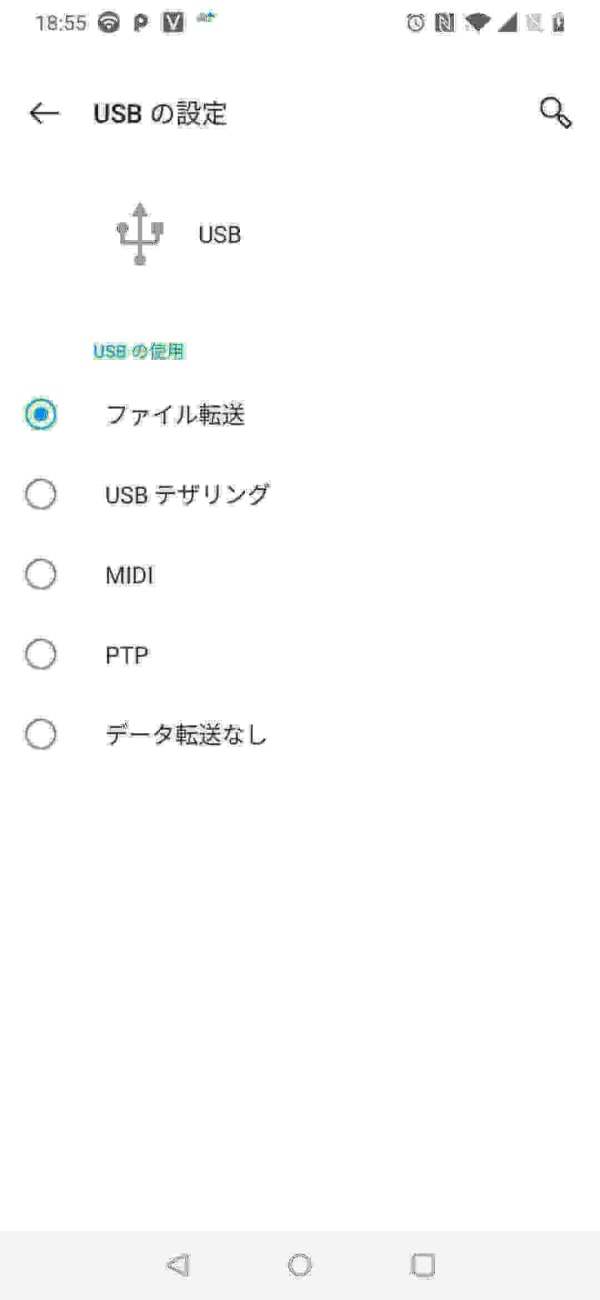
Select [Settings app] - [Bluetooth & device connection] - [USB] - [File transfer].
File transfer with Android File Transfer [macOS edition]
Installing Android File Transfer app
First, download and install the app from the Android File Transfer official site.
Launching Android File Transfer app
Next, when you launch the installed Android File Transfer app, it displays a list of folders on the Android device.

This time, I transferred mp3 files from macOS to the Music folder so they can be played on the Android device.
That’s all from the Gemba.