Steps to Quickly Install Elasticsearch with Docker GUI Tool Kitematic
I’ll introduce the steps to quickly install Elasticsearch with the Docker GUI tool Kitematic.

Preparation: Installing Kitematic
First, install Kitematic.

The Home screen after Kitematic installation looks like this.
Elasticsearch Installation
Search for Elasticsearch Docker Image
Search for Elasticsearch Docker images from the search form.

Select Specific Version of Elasticsearch
As is, it will create the latest version of Elasticsearch Docker Image.
If you want to create a specific version of Docker Image, you can switch TAG to specify the version.
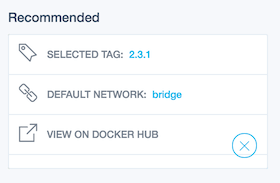
The above example specifies Elasticsearch version 2.3.1.
Create Elasticsearch Docker Image
Specify the Elasticsearch version and click the CREATE button to create the Docker Image.

This completes all the work.
Change Elasticsearch Hostname and Port Number
In Kitematic, you can change hostname and port number from Settings.

Port changes were particularly unclear, but it seems you can change them by clicking.
That’s all from the Gemba, where I want to set up an Elasticsearch development environment with Docker GUI Kitematic.
Reference Information
That’s all from the Gemba.