I had been avoiding the Pomodoro Technique for a long time, but since it was recommended in the book “SOFT SKILLS: The Software Developer’s Life Manual”, I’m practicing it.

Toggl is Recommended as a Pomodoro Timer App
To try the Pomodoro Technique, I needed some kind of app and tried various ones. There are many apps available, but most weren’t user-friendly and I was about to give up when I learned that by changing the settings of the official app of the time management tool “Toggl”, I could implement the Pomodoro Technique, so I tried it.
Since I was already using Toggl, being able to implement the Pomodoro Technique seamlessly was a delight.
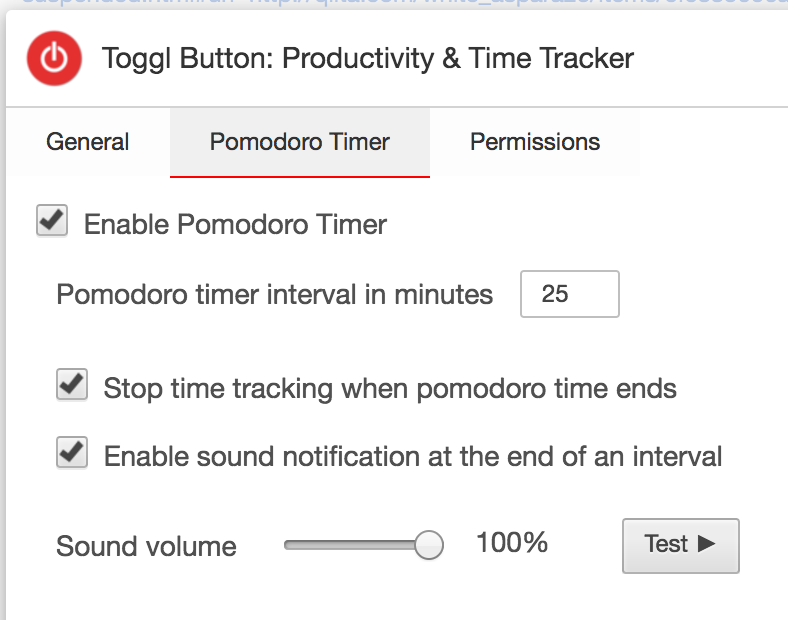
Toggl Chrome Extension Settings
From Chrome browser, you can access chrome://extensions/?options=oejgccbfbmkkpaidnkphaiaecficdnfn to open the settings screen.

Alternatively, if you have the Toggl icon displayed in the Chrome menu, you can click the gear icon from there to open the settings screen.
Toggl Mac App Settings

Use the shortcut key Command + , or click “Preferences…” to open the settings screen.
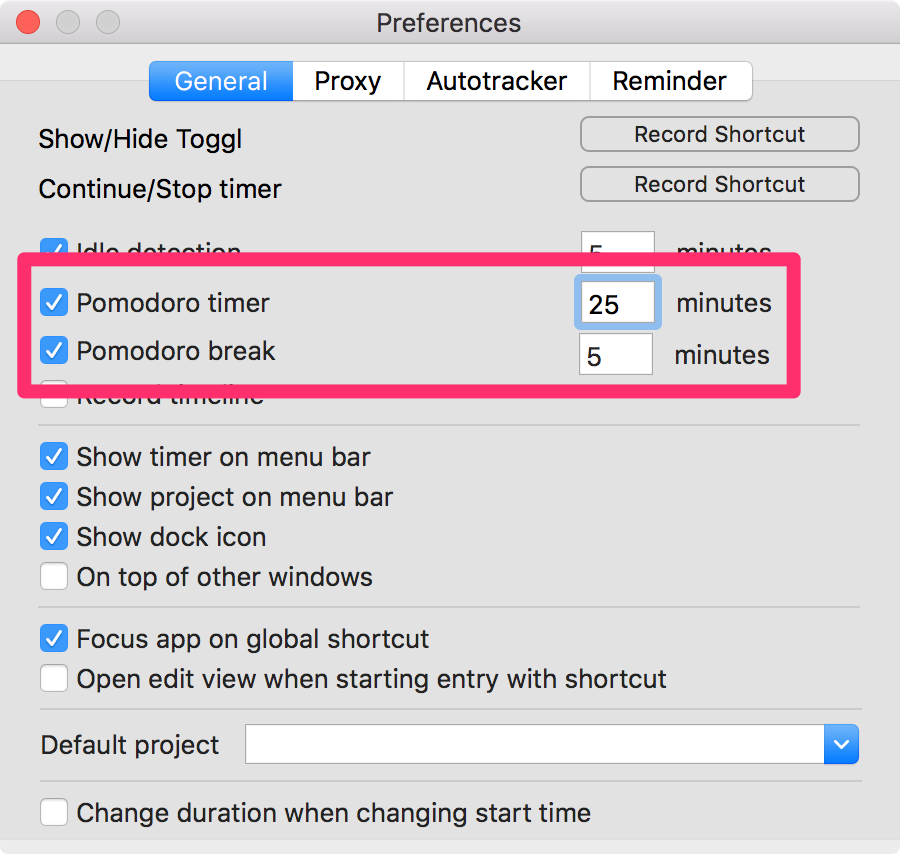
In Preferences, set the following two items:
- Pomodoro timer: Time to work on tasks. Default is 25 minutes.
- Pomodoro break: You can set break time. Default is 5 minutes.
Conclusion: The Pomodoro Technique Seems to Have Many Benefits
The Pomodoro Technique is good. Work progresses more than I expected.
Previously, I would concentrate intensively on work and be exhausted in the evening, but that’s gone and I’m less tired.
Being able to practice the Pomodoro Technique with the familiar Toggl app is also working positively for me personally.
That’s all from the Gemba.